How You Can Automate the B2B Onboarding Process in Medium-Sized Businesses From Contract to System Provisioning
Manual data entry slows down the acquisition of new B2B customers. Learn how interfaces and automated workflows seamlessly connect the process from contract recording to provisioning.
The Traditional Process of Onboarding New Business Customers
In many medium-sized companies, taking on a new business customer requires numerous manual steps. After sales successfully closes a contract, a time-consuming paper and email process begins. The signed document ends up in the administrative inbox, where an employee manually transfers contact details, payment terms, and individual agreements into the central ERP system.
In the next step, accounting is informed by email to create the customer account and initiate a credit check. In parallel, the IT department receives a ticket to set up access for the customer to the customer portal, interfaces, or digital services. This process is highly fragmented, creating waiting times at every departmental interface. If there are questions or missing information in the contract, the entire process stalls. Those involved spend working time on inquiries, corrections, and searching for documents. Such a manual process unnecessarily slows down the start of actual cooperation.
How You Can Automate the B2B Onboarding Process
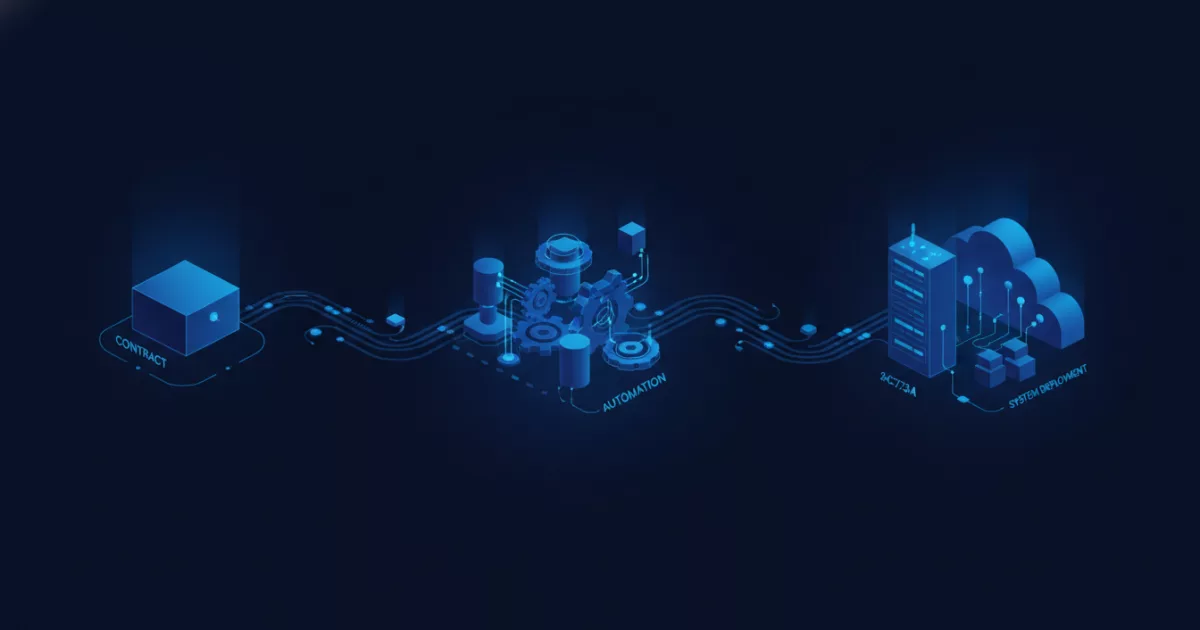
If you want to automate the B2B onboarding process, the manual flow of information is replaced by direct, cross-system data transfer. The process starts digitally as soon as the customer confirms the contract via an online form or a digital signature platform. The captured data is validated in a structured manner, with required fields ensuring that all necessary information for subsequent processes is fully available.
After entry, an automated workflow takes over data distribution. The information flows without intermediate steps via API interfaces into the ERP system, where the customer account is created automatically. At the same time, the system triggers verification processes and informs accounting. If the check is successful, the system automatically generates access data for the customer portal and sends a welcome email with all initial information to the new customer. The IT department no longer has to manually create user accounts because authorization assignment takes place rule-based in the background. All process steps are logged centrally so that the current status can be viewed at any time.
Typical Interfaces and Tasks in Automated Onboarding
- Contract recording: Digital forms collect customer master data in a structured manner and check entries directly for completeness.
- ERP integration: Interfaces transfer address data, contact persons, and payment terms automatically into the leading management system.
- System activation: Automated scripts create user accounts in customer portals or specialized applications and assign permissions.
- Notifications: Templates send confirmations and access credentials to the customer without manual intervention.
Typical Challenges During Implementation in Medium-Sized Businesses
In practice, automating onboarding processes rarely fails because of technical limitations, but rather due to historically grown structures. Often, different departments use isolated software solutions that do not offer standardized interfaces. In such cases, ways must first be found to connect existing legacy systems to modern integration platforms.
Another hurdle is the lack of standardization across data fields. When sales structures customer data differently than accounting, this leads to errors during automated transmission. Technical implementation must therefore always be preceded by the cleanup and definition of data models. In addition, legal requirements and data protection regulations must be observed. For the clarification of specific data protection requirements when processing customer data, experts such as data protection officers or legal counsel should be consulted to ensure compliance.
Step by Step Toward an Automated Workflow
To successfully automate the onboarding process, a structured approach is recommended. In the first step, you analyze the current state. Document every single manual step, all systems involved, and typical delays in the current workflow. Determine exactly which data is required at which point.
In the second step, you define the target process. Determine which system serves as the primary data source and how data should flow between the form, ERP system, and customer portal. Develop a clear set of rules for exceptions, for example when a credit check requires manual review. If you want to optimize your internal processes and eliminate manual data transfers, webfellows supports you with a non-binding process check to analyze your requirements and identify suitable automation approaches.
Frequently asked questions
How long does it take to implement automated B2B onboarding?
The duration depends heavily on the existing system landscape and the clarity of the data models. Simple integrations can often be realized within a few weeks, while complex legacy systems require more preparation.
What happens if incoming customer data is incomplete?
Digital forms and automated validation checks ensure that compulsory fields are filled out correctly before data is passed on to downstream systems.
This article was created with AI assistance.
Comments
No comments yet. Be the first to tell us how this works for you.